

| |
Best
practice for authentication and permissions?
1 Objective of this document
The objective of this document is to provide the reader with useful
information about designing and creating a Role Based Access Control
system (RBAC).
2 Main concepts
An RBAC system provides three types of features: Authentication,
authorization and audit:
2.1 Authentication
This confirms the user’s identity: It consists of checking
the identity of the user of your application. Actually, this is
a two step process: First, identification, which consists of stating
who you are; and then authentication, which consists of proving
who you are. This is usually done via user accounts and passwords.
This is the first level of security.
2.2 Authorization
Authorizations define what a user can do in an application: Basically,
you define what the user is allowed to see, do and modify in the
application.
You need to choose between two ways of defining authorizations:
- The most secure way is to forbid everything by default, and
then grant permissions to open possibilities. This way, if you
forget to define a permission, the user won’t be able to
do something he should, rather than accidentally do something
he shouldn’t.
- The faster way is to allow everything by default, and then you
assign restrictions to forbid some actions. This way is faster
because typically there are fewer restrictions than permissions.
This is the second level of security and represents the heaviest
parts of RBAC design, since you need to code every permission/restriction.
2.3 Audit
Keep track of sensitive transactions in the application: You may
need auditing features to comply with business rules specific to
your company, with legal requirements like SOX or certification
processes like ISO.
Audit should enable you to review who did What in your application,
When, and Who granted which permission to Which user.
top
3 Basic components
RBAC systems for business applications are composed of:
3.1 A secure repository to store RBAC data
You need a secure place to store user names and passwords, their
roles and permissions.
3.2 A component integrated into the application
This component will communicate with the RBAC repository so that
the application is adjusted to the user authorizations.
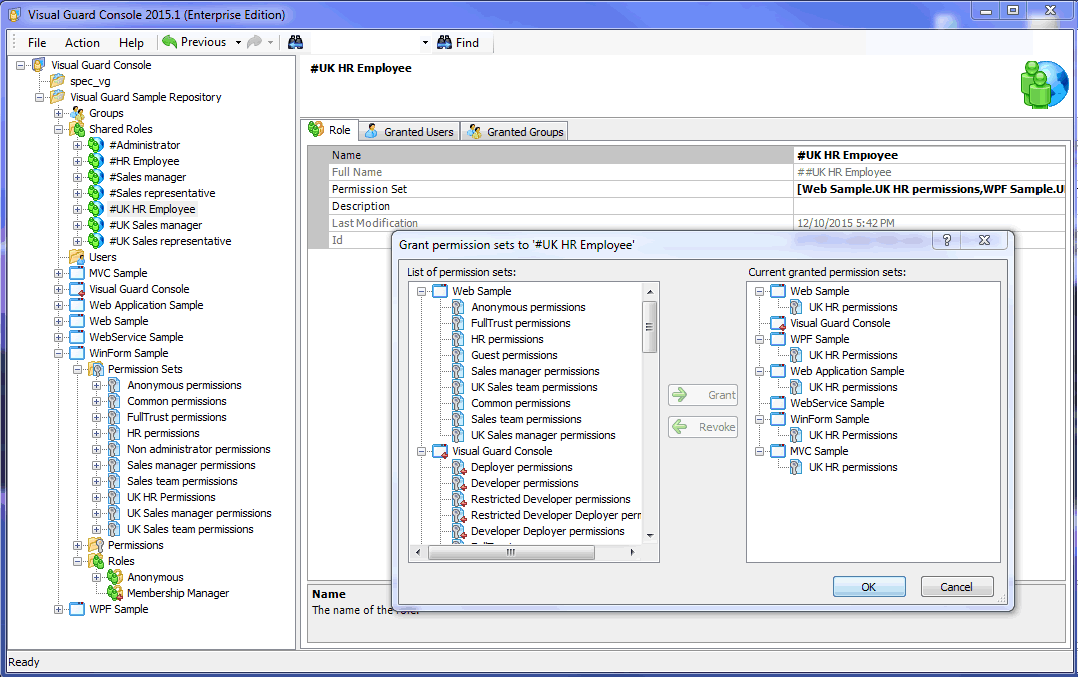
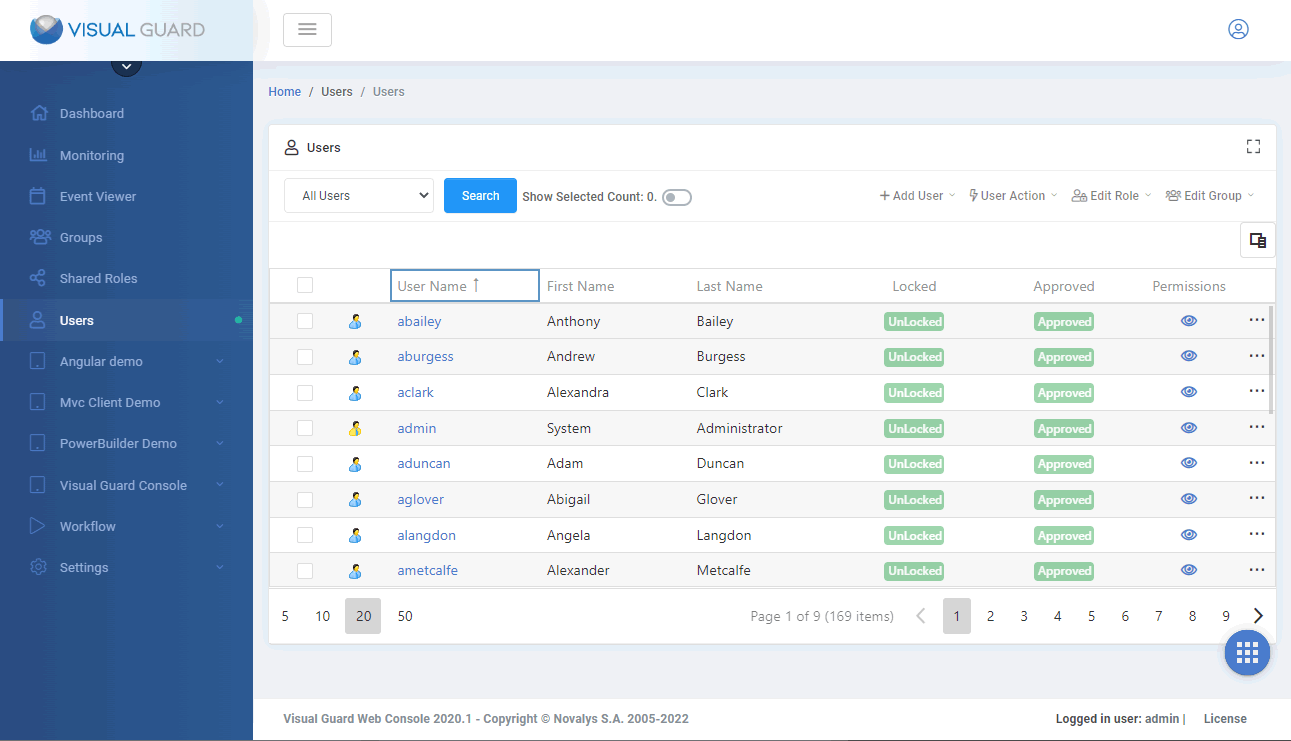
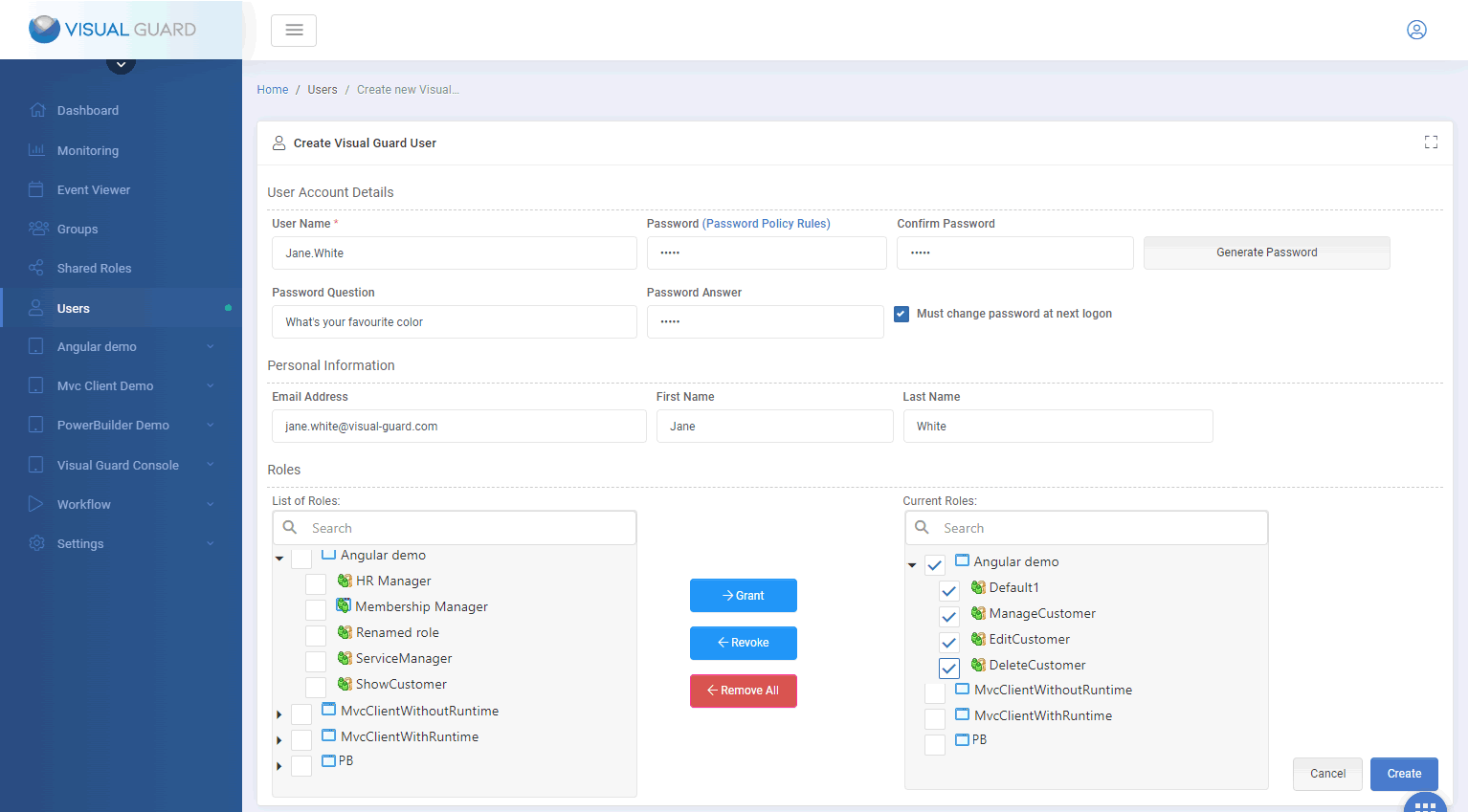
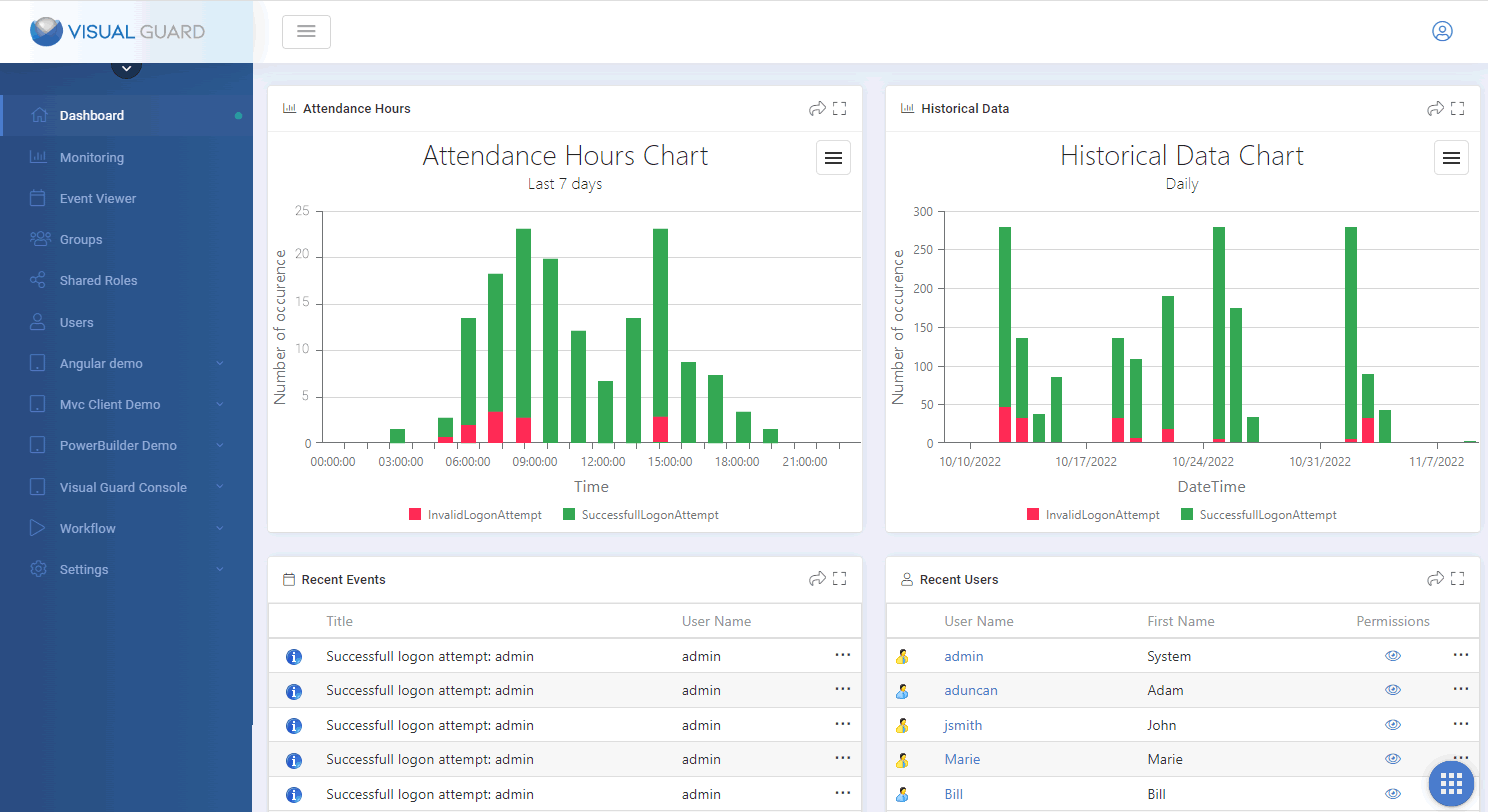
3.3 An administration console
This application is designed for non-technical staff to manage user
accounts and grant them permissions. It provides a user-friendly
interface to manage this information easily and release developers
from daily access control management.
3.4 Documentation for developers and administrators
You will need documentation for everyone involved in the application
security process. You will probably need to produce an integration
guide, a user guide, FAQ, etc…
top
4 Why permissions should be
independent of the application code
4.1 What does this mean?
For permissions to be independent of the application code, they
must not be defined in that code. You may therefore need to insert
a call in the code of a component to activate the RBAC system, but
this call is not the permission itself.
If the code which defines the permissions is mixed in with the application
code, you may encounter significant maintenance issues in the long
run.
4.2 Lifetime issues
Access control administration is required frequently (due to new
accounts, changes to permissions, etc). On the other hand, application
changes are infrequent and a given version of an application may
last many months. As a rule, the lifespan of a permission tends
to be much shorter than the lifespan of the application. If permissions
are mixed in with the application code, end users need to wait for
a new version of the application to benefit from new permissions.
Defining or granting permissions should not rely on new versions
of the application. You should be able to add or grant a permission
without changing the application code (which requires a full development
cycle: coding, testing, debugging, deployment…). If new permissions
are taken into account dynamically (not hardcoded in the application),
you will be able to define/grant them while the application is still
in production. If so, they would be effective immediately!
4.3 Independence of administrators
Local administrators know about each end-user and the user’s
authorization (especially in the case of remote sites). They need
a user-friendly administration tool to manage user accounts and
permissions without relying on the development team. This is possible
only if adding permissions does not involve a change in the application
code.
4.4 Free the development team
If end-users and administrators take care of the daily management
of user accounts and permissions, the development team can focus
on development itself.
top
5 Keys questions before choosing
your RBAC system:
Do you need to…
5.1 ...Secure several applications in a centralized repository?
Do you need to centralize all your applications in a single repository?
Should administrators have an overview of all applications and users
accounts in your company?
5.2 …Manage shared roles?
A shared role can be used for several applications, whereas a specific
role is only used for one application. Shared roles are particularly
useful if the employees in your company use several applications:
You do not have to manage a role for each application that a user
can access.
5.3 …Support Single Sign-On?
If you use Active Directory to manage user accounts, it is often
necessary to provide a single sign-on process, so that security
can be applied as smoothly as possible from the end-user’s
point of view: Once the user is logged on in a Windows session,
any application opens without asking for further credentials.
5.4 …Support several technologies?
In the years to come, will your RBAC system need to support various
technologies?.Net provides a wide range of development technologies:
winform, webforms, webservices… If your system takes into
account only short-term needs (winform applications for instance)
you may need to develop other solutions to support other technologies,
and end up with several RABC systems and significant development,
training and maintenance costs.
5.5 …Produce reporting about user accounts & permissions?
You may need to provide detailed descriptions of existing user accounts,
as well as the roles and authorizations granted to each account.
5.6 …Comply with audit requirements (SOX…)?
To comply with legal or certification requirements (Sarbanes-Oxley
Act, ISO, CMMI, ITIL…) you may need to keep track of who did
what in your applications (who entered the application, opened a
form, modified a record…). Then, you may need to review this
log to monitor sensitive (financial?) transactions.
5.7 ...Support a large / international development team?
Do you have a large development team? Is your development team spread
across several locations? If so, coordination may require significant
effort (time and language differences). Staff turnover and knowledge
management may also become an issue.
5.8 Permission granularity: How far do you need to go?
When you define access control, you usually start by disabling menu
options. You may also need a wider range of actions in your applications,
from disabling menu options to filtering data according to user
authorizations.
Would you need to do any of the following? Hide or disable fields,
menu options, tabs or controls? Filter a list differently for one
user than another? Modify business rules?…etc?
top
6 Maintenance: The underestimated
costs
When choosing a solution, we usually focus on initial cost: How
much would that be to develop or purchase the right solution?
Not many people realize it only represents 10 to 20% of the overall
cost!
Most of the cost appears over the long run: It’s all about
using and maintaining the solution.
Forrester Research estimates that 78% of IT budget goes to maintenance
cost. Not only is this true for business applications, it’s
also true for the RBAC system!
When designing your system, you should anticipate the major costs
you will need to afford in the next 10 to 20 years:
6.1 Supporting developers and administrators
Developers will need assistance when integrating security into their
application, defining permissions, implementing authentication processes,
using new versions of the.Net framework… Administrators will
also need help to manage user accounts, roles and permissions.
You will need a solution to support developers and administrators
through the years. In the case of in-house solutions, you will need
to maintain a support team and manage staff turnover and knowledge
transfer over the years.
6.2 Maintaining permissions consistent with the application
code
When an application evolves, it is necessary to ensure that permissions
remain consistent with the application code. If, for example, a
control is modified, you need to check that all the restrictions
related to this control are still working properly. Each new version
of the application requires full verification of all its permissions.
Some RBAC systems provide an automated permission-verification process
that you can use when validating your application.
6.3 Deploying new versions of the application
Each new version of the application comes with a new set of permissions.
These new permissions should be deployed with the new version of
the application. Unfortunately, you cannot just replace the old
repository with the new one, because you would lose all the data
entered by the administrator when the application was in production
(user accounts, roles and permissions granted to these accounts).
You will need to insert the new permissions in the existing repository
carefully. By default, this implies manual export/imports, unless
your RBAC system provides you with an automated deployment tool.
6.4 Versioning security data
While a new version of an application is being deployed, some users
may be using the new version while others are still using the old.
Both the existing and new permission repositories should be available
during the migration process.
You should ensure that the two versions remain available and that
each user accesses only the appropriate version repository.
top
7 In-house development, the
default solution for application security
In-house solutions provide some features but they do raise several
issues:
7.1 Development & support rely on internal resources
If you have an in-house solution you need to be particularly sharp
about this. You cannot afford to lose knowledge through staff turnover
and be left with no one in the company able to manage security.
So you need to maintain a team that can handle any question, change
or crisis affecting your security system.
7.2 User accounts specific to the application
Implementing a single sign-on process in a.NET application is complex.
So is communicating with Active Directory and using Windows accounts
to identify users. As a result, most applications rely on accounts
created specifically for the application and stored in the application
database. This is probably the easiest solution to develop but is
the heaviest to maintain: User accounts need to be managed by the
development team whereas Active Directory / Windows accounts already
exist and are managed by system administrators.
7.3 Access and permission: Low granularity
Adapting an in-house solution to all business requirements is often
complicated. Managers tend to see only functionality, and are unlikely
to understand a feature’s technical implications. Making menu
options available is one thing, making them work is another.
7.4 Specific code in the application
In-house solutions usually code permissions directly into the application.
As a result developers end up with a complex security system, costly
to maintain and difficult to update. Whenever security data needs
to be inserted or updated, the developer has to go back into the
code, find the previous information, change it, then re-test and
re-deploy the application. The entire process lacks responsiveness
and flexibility.
Moreover, people typically become aware of security needs long after
the design phase. It is often complex or impossible to comply with
the requirement in the development phase. Often, complex permissions
are identified when the application is in production, requiring
an immediate fix.
7.5 A separate solution for each application: Maintenance
issues
In theory, you should be able to have a clear vision of what a company
will be in the next 5 or 10 years but in real life this is next
to impossible. You may well need to develop a new application based
on a technology not supported by your previous security system.
So you will probably end up tailoring a new security system for
the new application. Eventually, you will have a separate security
system for each applications or, put another way, you will have
huge maintenance costs.
top
8 Visual Guard, a corporate
solution for application security
Novalys has been developing authentications and permissions solutions
for business applications for 15 years. Based on this experience,
we designed Visual Guard, a solution that addresses .NET application
security issues, no matter how complex your environment.
8.1 A single solution to secure and centralize all .NET
applications
Visual Guard allows you to secure any type of application in the
same solution: winform, webform, web services. You can centralize
the management of all of your applications and user accounts in
a single, secure repository. Visual Guard provides a ready-to-use
single sign-on solution based on Windows accounts.
To simplify permission management further, you can create shared
roles that group user authorizations for several applications.
8.2 Permissions independent of the code
With Visual Guard, you do not put code into your application to
define permissions.
This means you can define and implement permissions without going
through the full development cycle of coding, testing, deploying,
waiting for feedback. You can define permissions any time, even
when the application is in production: They are effective immediately.
8.3 Administrator tools designed for non-technical people
The Visual Guard console makes daily security management very easy
for non-technical people. Managing user accounts, roles and permissions
requires no technical skill.
So when choosing a person to be in charge of security you are no
longer restricted by technical ability, and you can optimize your
business processes to be more responsive: Your administrators can
be security people, system administrators, remote site managers,
etc...
For even more flexibility, you can define several levels of administrator
privileges.
You can also create your own administrator form - and integrate
it in your application - to call the Visual Guard API to manage
user accounts and roles.
8.4 Developer tools to manage permissions, versioning and
deployment
Visual Guard provides a wide range of tools and wizards for developers:
You can create permissions with a few clicks, verify consistency
between applications and permissions automatically, deploy new permissions
in existing repositories without disturbing security data in production,
manage several versions of a repository when deploying the application,
etc.
8.5 Audit tools to generate permission reports and review
application logs
Auditors have read-only access to explore existing permissions,
roles and user accounts and can generate detailed reports about
them. They can review application logs to monitor specific transactions,
as well as administration console logs to check who gave which authorizations
to whom.
8.6 Standard product with professional support and frequent
updates
Why reinvent the wheel? Visual Guard provides ready-to-use features
for application security. It has evolved over the past 15 years
to become an industry-standard solution.
Implementing Visual Guard is fast and easy, and so is the learning
curve.
Novalys provides international support: You can focus on your core
business and let us solve your application security issues for you.
Novalys is also committed to making best use of Microsoft’s
continuing innovations in .NET framework, Microsoft OS, etc.
top
|
|