Enterprise Application Security for PowerBuilder
Bring Enterprise-Grade Security
to Your PowerBuilder Applications
- Authentication — SSO, Windows auth, identity federation, MFA
- Authorization — centralized roles and fine-grained permissions
- Audit & Compliance — monitoring, audit trails, GDPR/HIPAA/SOX reporting
A single solution securing PowerBuilder, .NET, Java, Angular, and PHP applications.
Start Free Trial
Authenticate, control, and audit —
three layers of application security
Visual Guard covers the full security lifecycle of your applications, from user identity verification to compliance reporting.
Authentication
Verify user identities with modern protocols. Support SSO, identity federation, and multi-factor authentication.
- Single Sign-on (Windows & Web)
- Integration with MS Active Directory / Entra ID
- OAuth 2.0 and OpenID Connect support
- Multi-Factor Authentication (OTP, email, SMS, authenticator apps)
- Multiple auth modes in a single application
- Compatible with hybrid environments (cloud + on-prem)
Authorization & Access Management
Define what each user can see and do. Manage roles and permissions centrally, across all your applications.
- Fine-grained permission control (menus, buttons, data fields)
- Role-based access control (RBAC) with group inheritance
- Segregation of Duties (SoD) with custom add-on.
- Dynamic permissions applied at runtime without code changes
- Automatic user provisioning and deprovisioning
- Centralized management across PowerBuilder, .NET, Java, Angular...
Audit & Compliance
Track all access and sensitive activity events. Generate compliance reports and detect anomalies in real time.
- Detailed audit trails on all authentication and access events
- Real-time monitoring with alert notifications
- Historical graphs and usage analytics
- Built-in reporting for GDPR, HIPAA, and SOX
- Audit of both user and administrator operations
Key Capabilities
Purpose-built features for securing enterprise applications running on PowerBuilder and other platforms.

Windows Authentication
Reuse accounts stored in Active Directory or Entra ID to authenticate users in your PowerBuilder applications.

Single Sign-On
Users launch applications without re-entering credentials. Visual Guard captures the current Windows session and applies access rights automatically.

Multi-Factor Authentication
Add a second verification layer for sensitive operations. Supports OTP, magic links, SMS, email, and authenticator apps. Compliant with NIST 800-63.

Traceability
Log authentication events, business operations, and administrative changes. Analyze trends with historical graphs and detect anomalies.

Real-Time Monitoring
Track critical transactions and access to confidential data as they happen. Automatically alert administrators of suspicious events.

OAuth 2.0 Support
Integrate your PowerBuilder and PowerServer applications with any OAuth 2.0 / OpenID Connect authentication system. Comply with corporate standards.

Security Audit
Review operations performed by business and privileged users. Generate access control reports (users, groups, permissions) for compliance purposes.

Secure Web APIs
Protect your REST APIs with Visual Guard. Authenticate users and enforce server-side permissions. Supports PowerServer and standard REST architectures.

Multi-Platform Coverage
Secure your entire application portfolio from a single system. PowerBuilder, .NET, Java, Angular, PHP, Oracle — one centralized security layer.
Ready to modernize your application security?
Start Your Free Trial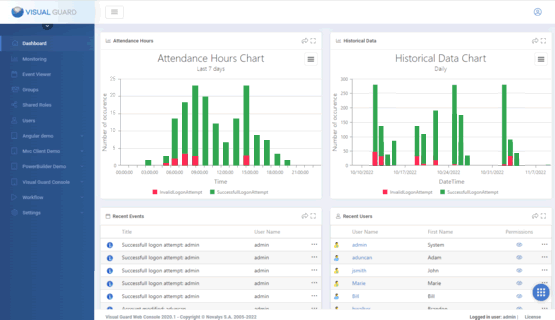
Complete Feature Set
Everything you need to secure your applications, manage user access, and stay compliant.
- Login/Password Authentication — standard username/password accounts managed within Visual Guard
- Windows Authentication — authenticate using existing Active Directory or Entra ID credentials
- Windows SSO — users access the application without re-entering credentials; VG captures the current Windows session automatically
- Web SSO — single login across multiple web applications, regardless of hosting location
- Remote Windows Authentication — Windows credentials usable from any remote location (hotel, airport, mobile)
- Multi-Factor Authentication (MFA) — OTP, magic links, email, SMS, authenticator apps. MFA enforcement policies configurable at group level (AD/Azure AD). Can also be triggered programmatically for custom workflows and automated processes. Compliant with NIST 800-63
- Multiple Authentication Modes — the same application can support Windows, login/password, and MFA simultaneously
- Identity Federation — reuse Windows accounts across multiple Active Directories, on-prem or cloud, with centralized security management
- OAuth 2.0 / OpenID Connect — integrate with any standard identity provider via the VG Identity Server
- Offline Mode — authenticate and enforce permissions locally without a network connection (.NET WPF/WinForms)
- Custom Password Policy — configure expiration, complexity, and lockout rules for VG-managed accounts
- Self-Registration — allow users to create accounts, with optional administrator approval before access is granted
- Automatic Provisioning from AD Groups — user accounts automatically created based on Active Directory group membership
- Fine-Grained Permissions — control access to specific menus, buttons, fields, and data records within your applications
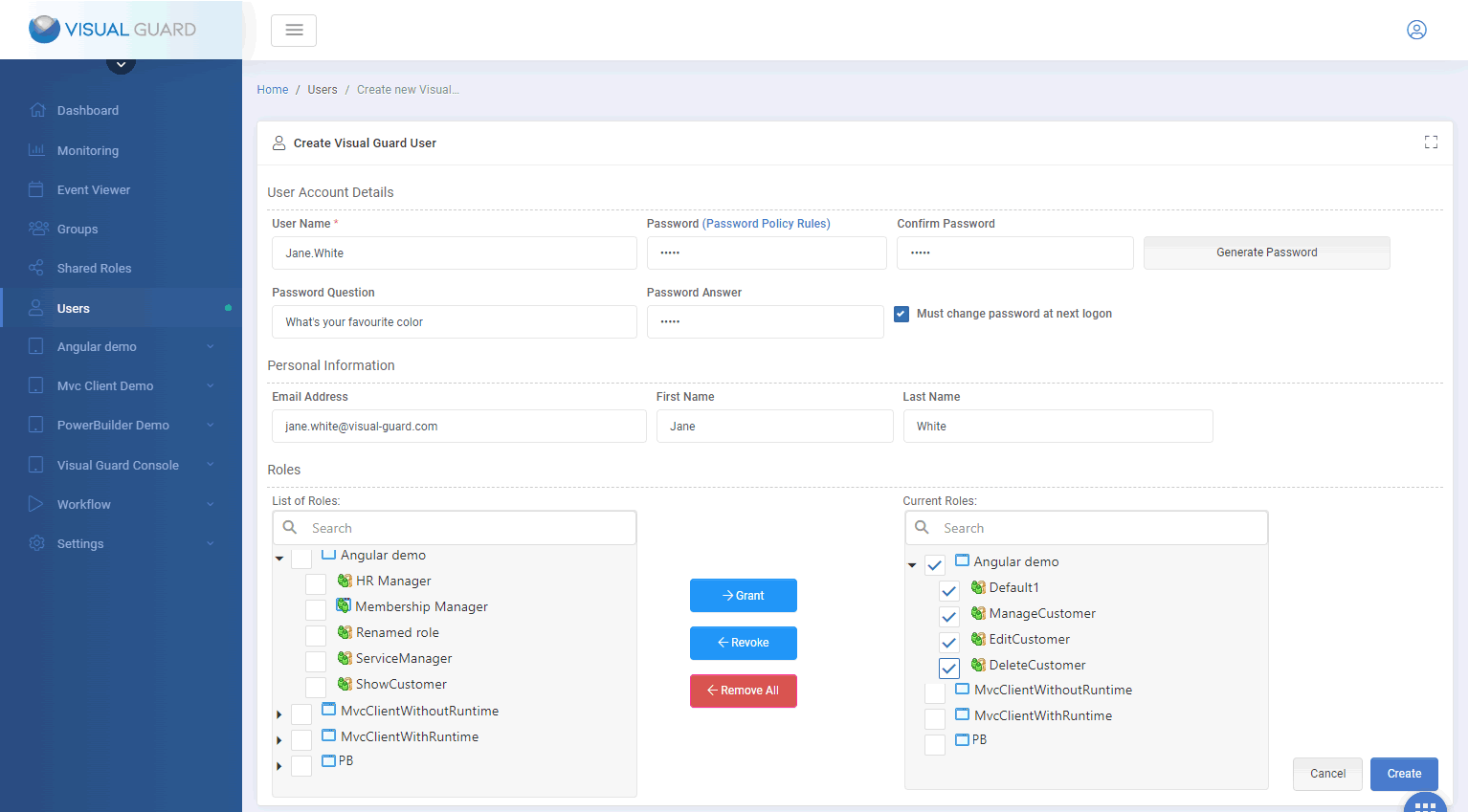
- Role-Based Access Control (RBAC) — group permissions into roles; assign roles to individual users or groups
- Dynamic Permissions — modify application object properties at runtime (hide, disable, show) without changing application code
- Static Permissions via API — retrieve user permissions via the VG API and enable the appropriate application features accordingly
- Grant Access to Users and Groups — assign roles and permissions via the VG Console or programmatically via the API; roles propagate to sub-groups
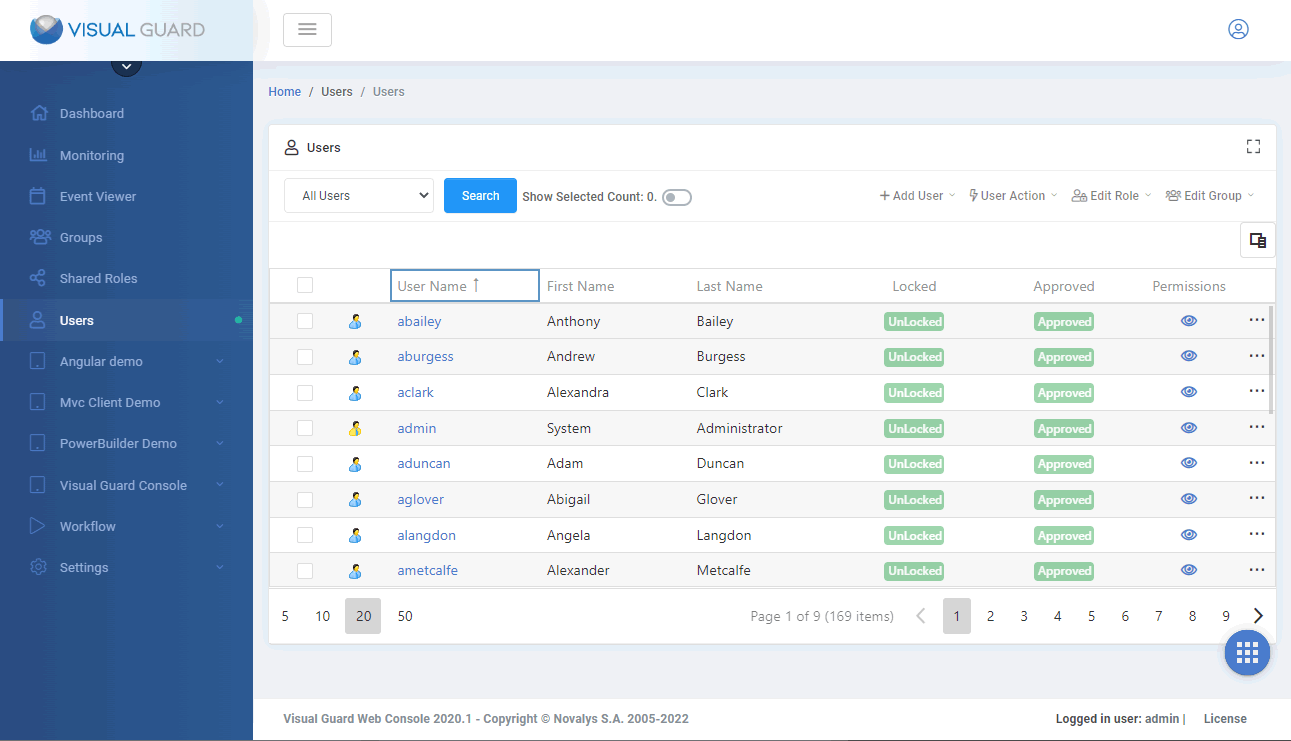
- User Provisioning — create and manage large volumes of accounts (up to millions) via the VG Console or API
- Group Management — define hierarchical groups mirroring your organization structure; roles inherit across the hierarchy
- Automatic Provisioning/Deprovisioning — sync with directory services; access removed automatically when users leave or change roles
- Cross-Application Management — global view of all users and their rights across every secured application in your portfolio
- Custom Security Rules — implement segregation of duties and other business-specific access constraints (e.g. mutually exclusive roles)
- Custom Approval Workflows — define structured validation sequences for access requests, role assignments, and permission changes before they take effect; reduces the risk of unauthorized access and enforces governance policies
- Notifications on User Actions — trigger automated email notifications in response to specific events (account creation, role assignment, access requests), keeping administrators and approvers informed at every step
- React to Security Events — workflows can automatically lock accounts, revoke or reassign roles, force a password change at next logon, and alert administrators in response to suspicious activity or policy violations
- Workflow Operations Library — build workflows from configurable operations: conditional logic (if/else), user retrieval, role assignment, user approval or locking, password policy enforcement, URI calls for external integrations, and automatic generation of permission matrices
- Impersonation Management — designate a Master Admin as the impersonated user for workflow or Identity Server operations; reassignment required before deletion to preserve mapping integrity
- Workflow Monitoring & Traceability — track workflow execution in real time; every request, approval, and automated action is logged, providing a complete audit trail for compliance and operational review
- Event Logging — record user logon, business operations, administrator actions, and system security events
- Real-Time Monitoring — follow access to confidential data and critical transactions as they happen; detect suspicious events such as operations at unusual times
- Alert Notifications — automatically notify administrators, controllers, or managers of important or suspicious activities
- User Operations Audit — review who did what, when, and from where; filter by user, date, application, device, or event type
- Administrator Operations Audit — track changes to users, roles, and permissions; filter and pinpoint issues or suspicious events
- Audit Identity Server and Workflow Impersonation — validate and audit user permissions for Identity Server and workflow impersonation operations; logs insufficient privileges and alerts administrators when required rights are missing
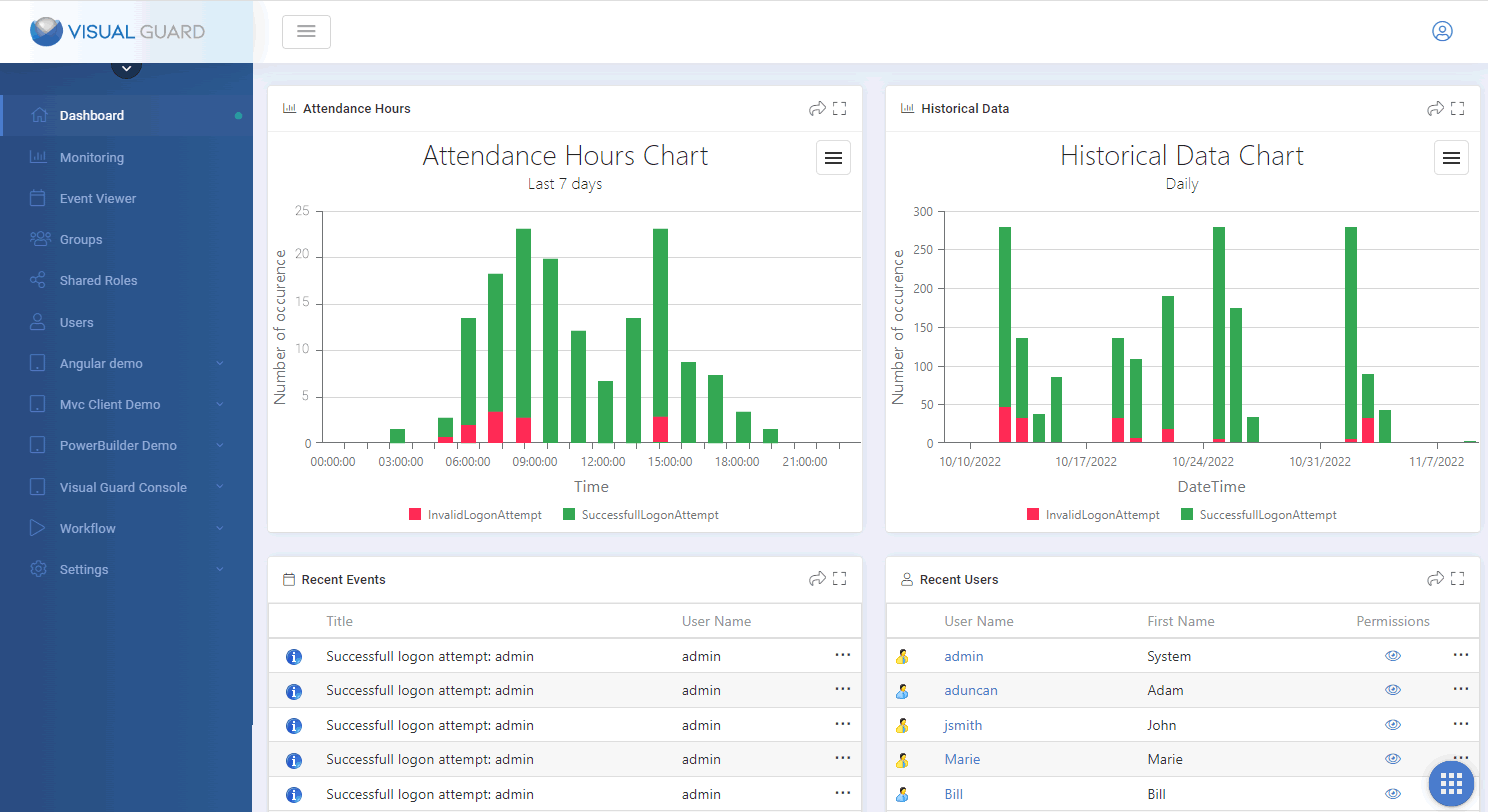
- Historical Graphs — analyze activity trends and detect anomalies such as unusual transaction volumes over time
- Attendance Graphs — visualize connection patterns per application (successful vs. failed logins, usage over time)
- Security Reports — generate access control configuration reports: users, groups, roles, and permissions
- Compliance Support — built-in reporting aligned with GDPR, HIPAA, SOX, and ISO 27001 requirements
- Visual Guard Identity Server — production server managing user identities, authentication, and access control for all VG-secured applications. Supports SSO, identity federation, OAuth 2.0, and OpenID Connect.
- Desktop Administration Console — Windows-based tool for developers and master administrators setting up the environment and managing application security
- Web Administration Console — browser-based interface for day-to-day user and permission management; configuration automatically backed up against accidental changes
- Deployment Tool — migrate security configuration between development, test, and production; supports batched deployment for large user repositories
- PowerBuilder Runtime — native VG integration for PowerBuilder applications
- .NET Runtime — supports WinForms, WPF, ASP.NET, WCF, MVC, and SharePoint applications
- Web Services API — secure Java, PHP, Angular, and any language capable of calling REST/SOAP services via the Identity Server
- Customizable Web Console — full source code available; adapt the administration interface to your business needs and corporate standards
- Custom Authentication Modules — develop integrations with third-party identity providers; Novalys provides technical guidance throughout
- Custom Security Rules — implement business-specific constraints (e.g. segregation of duties, mutually exclusive roles) with Novalys support
Consulting, Integration & Support
Novalys provides end-to-end assistance, from specifications to production deployment.
Functional & Technical Specifications
Analysis of existing applications, definition of user roles and permissions, design of the overall security architecture.
Development & Integration
Visual Guard integration in your applications, development of custom components, implementation of complex security rules.
Production Deployment
Installation and configuration of VG with AD/ADFS/Entra ID, SSO setup, creation of deployment procedures.
Professional Support
A dedicated support team available throughout the project lifecycle, from implementation to production.

Pre-sales and post-sales can be two very different things... I had a very uniform experience thanks to Anne.
The support provided by Novalys has been excellent and very quick.













What our clients say
"The most important benefit of VG is that we have a central place to manage the authentication and the authorizations for all the company."
"Thanks to the Administration Console, it is very easy to give the ability to create roles and users to business administrators and divide the tasks between the development team."
"A physician's primary goal is to give treatment, not to remember their passwords. I think I'm saving 50% of time in such menial tasks like resetting passwords."