| Service Panel |
 |
|
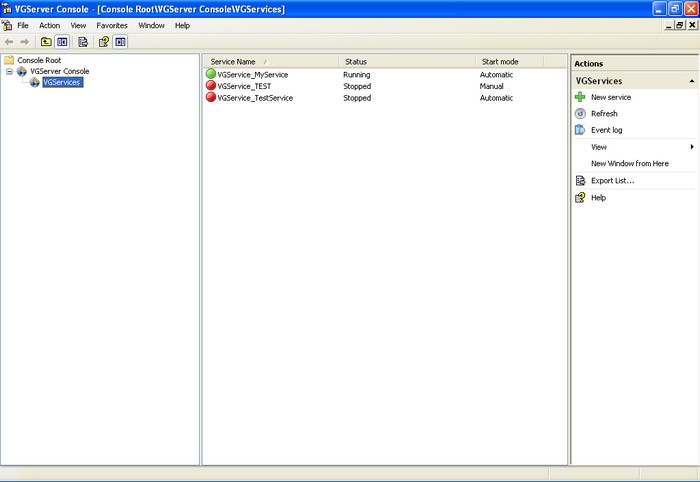
| The service panel will display the list of services which are created under the VG Server Console. The Service Panel will display the service name, status and start mode. |
|
| The service panel will be displayed as shown below: |
|
| |
Screen Display |
| |
| |
 |
|
|
 |
From this panel the list of services will be visible, as mentioned below: |
|
|
| |
| Sr # |
Field Name |
Description |

|
Service Name |
Displays the name of the service along with  or or  icons showing the status of the services. icons showing the status of the services.
indicates active service
indicates inactive service. |
|
Status |
Displays the status of the service as 'Running' or 'Stopped'. |
|
Start Mode |
Displays mode in which the service will start. Two options are available 'Automatic' or 'Manual'. |
|
|
|
|
