-

-

-
 Mise en Conformité des Applications
 -
 Sécurisez Plusieurs ApplicationsGérez les droits d'accès aux données pour toutes les applicationsContrôlez et auditez tous les systèmes en temps réel
Sécurisez tout type d'application : Desktop, Web, Mobile, SaaS...
Supportez tous les langages de développement : .NET, Java, Javascript, PHP.... -
 Framework de sécurité pour les développeurs d'applicationAjoutez des fonctionnalités de sécurité à vos applications















Principales Fonctionnalités
Contrôlez l'accès aux données sensibles dans les applications
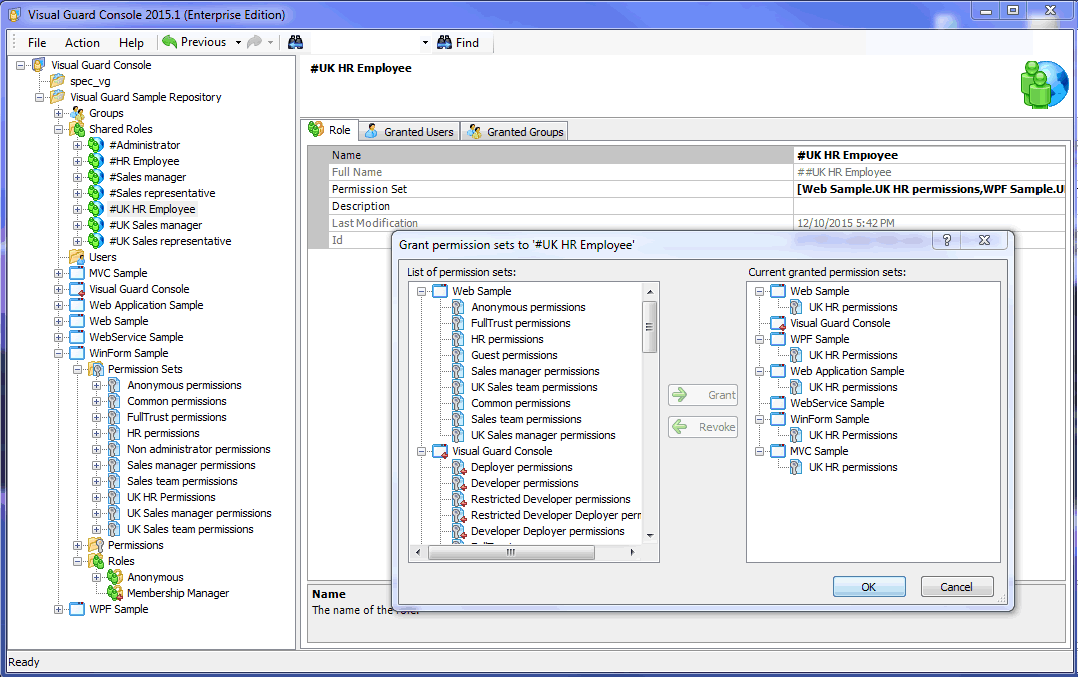
Définissez à quelles DONNÉES et FONCTIONNALITÉS les utilisateurs peuvent accéder dans vos applications. Attribuez des permissions dans une console graphique, indépendante de votre code.
Attribuez des droits d'accès à des utilisateurs et des groupes
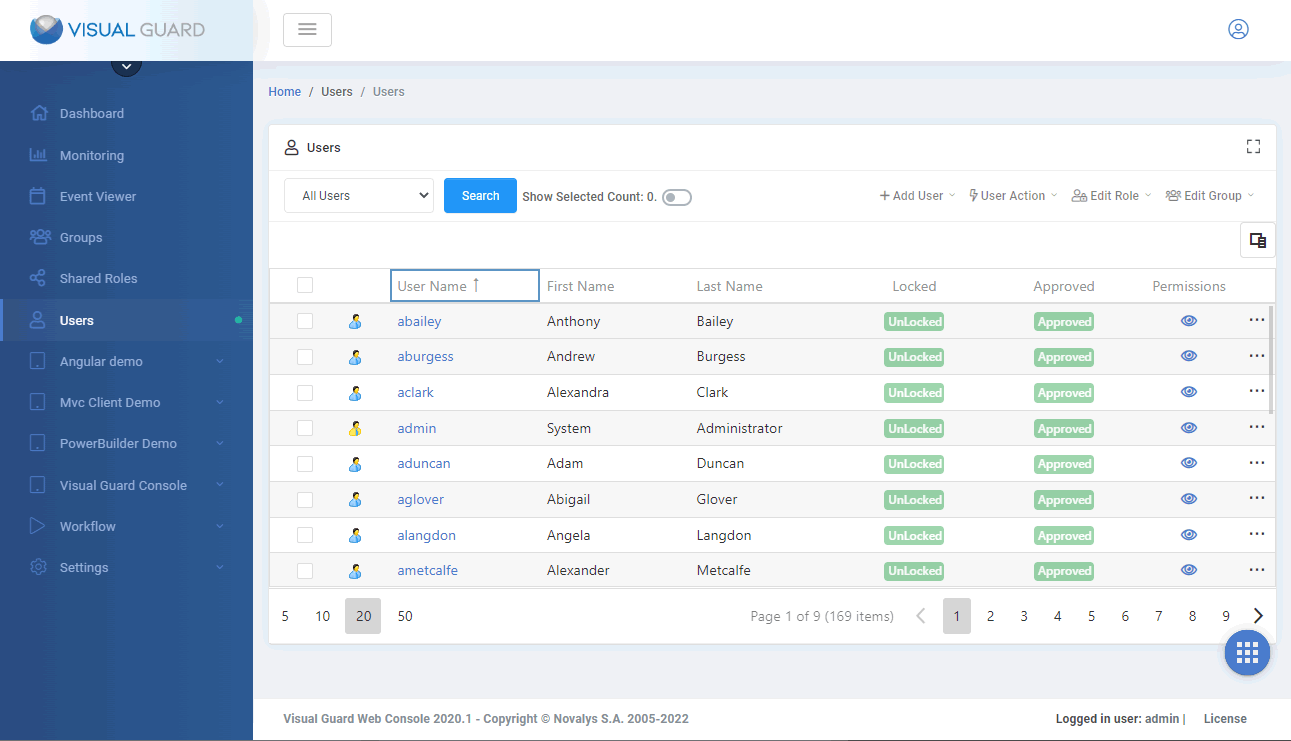
Fonctionnalités puissantes de gestion des comptes utilisateurs et console d'administration conviviale pour le provisionnement et la gestion des utilisateurs.
Traçabilité du traitement des données dans l'application
Visual Guard permets de savoir exactement qui a fait quoi dans votre application.
Surveillez et auditez les activités sensibles
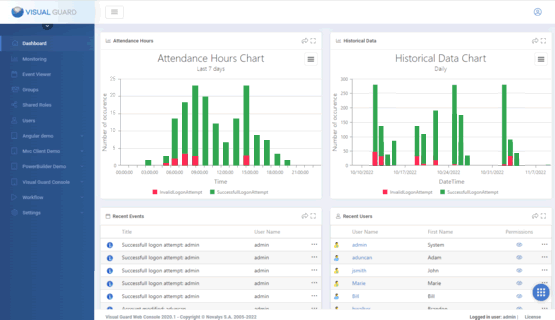
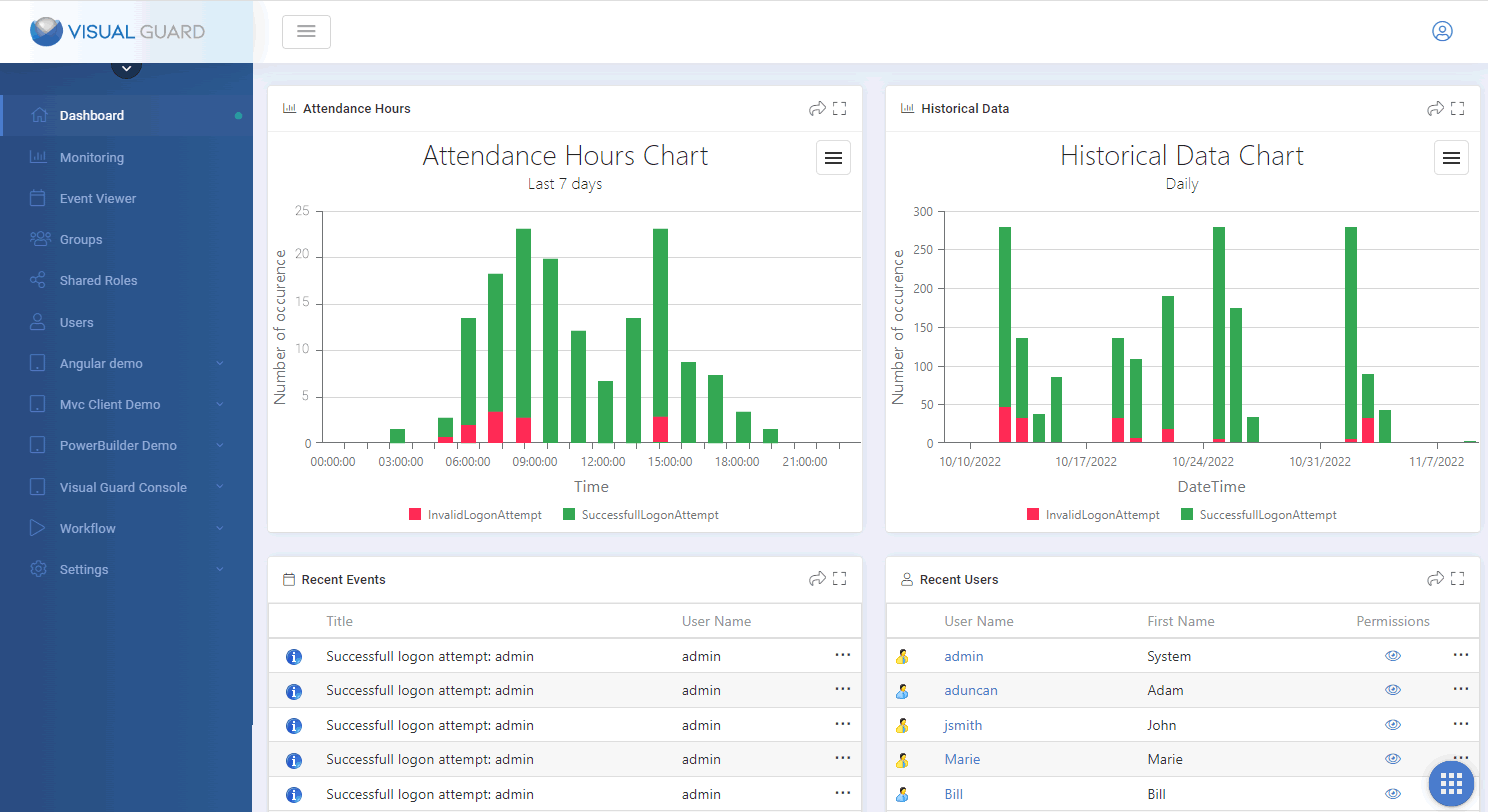
Visualisez les activités en temps réel et passez en revue les actions dans graphiques historiques.
Envoyez des notifications par e-mail sur les événements importants
Déterminez quels événements nécessitent une surveillance spéciale et Visual Guard enverra automatiquement des notifications par e-mail lorsqu'ils sont déclenchés.
Détectez les fuites de données
Passez en revue les opérations sensibles, détectez les activités suspectes, envoyez des alertes par e-mail et générez une liste complète des données traitées illégalement.
Implémentez une authentification forte (Authentification multi-facteurs)
La seule solution MFA qui combine haut niveau de sécurité et facilité d'utilisation
Audit & Traçabilité
Enregistrez et auditez les opérations sensibles effectuées dans vos applications.
Visual Guard garde la trace des actions sensibles dans un référentiel sécurisé. Vous pouvez ainsi auditer la sécurité de vos applications à tout moment, envoyer des alertes par email, suivre en temps réel les activités critiques, générer des graphiques et rapports...
Visual Guard vous aide également à vous mettre en conformité avec les réglementations telles que GDPR, FIPS, HIPAA, SOX, ISO...
RGPD: VOS APPLICATIONS SONT-ELLES PRÊTES ?
Vous savez peut-être que la Réglementation Générale pour la Protection des Données entrera en vigeur le 25 mai prochain. Mais savez-vous si vos applications sont impactées? Faut-il les modifier ? Si oui, comment ?
Framework de Sécurité .NET
Ne réinventez pas la roue
Visual Guard expose une API complète (plus de 300 méthodes) pour ajouter des fonctionnalités de sécurité dans votre application.
Gérez les utilisateurs
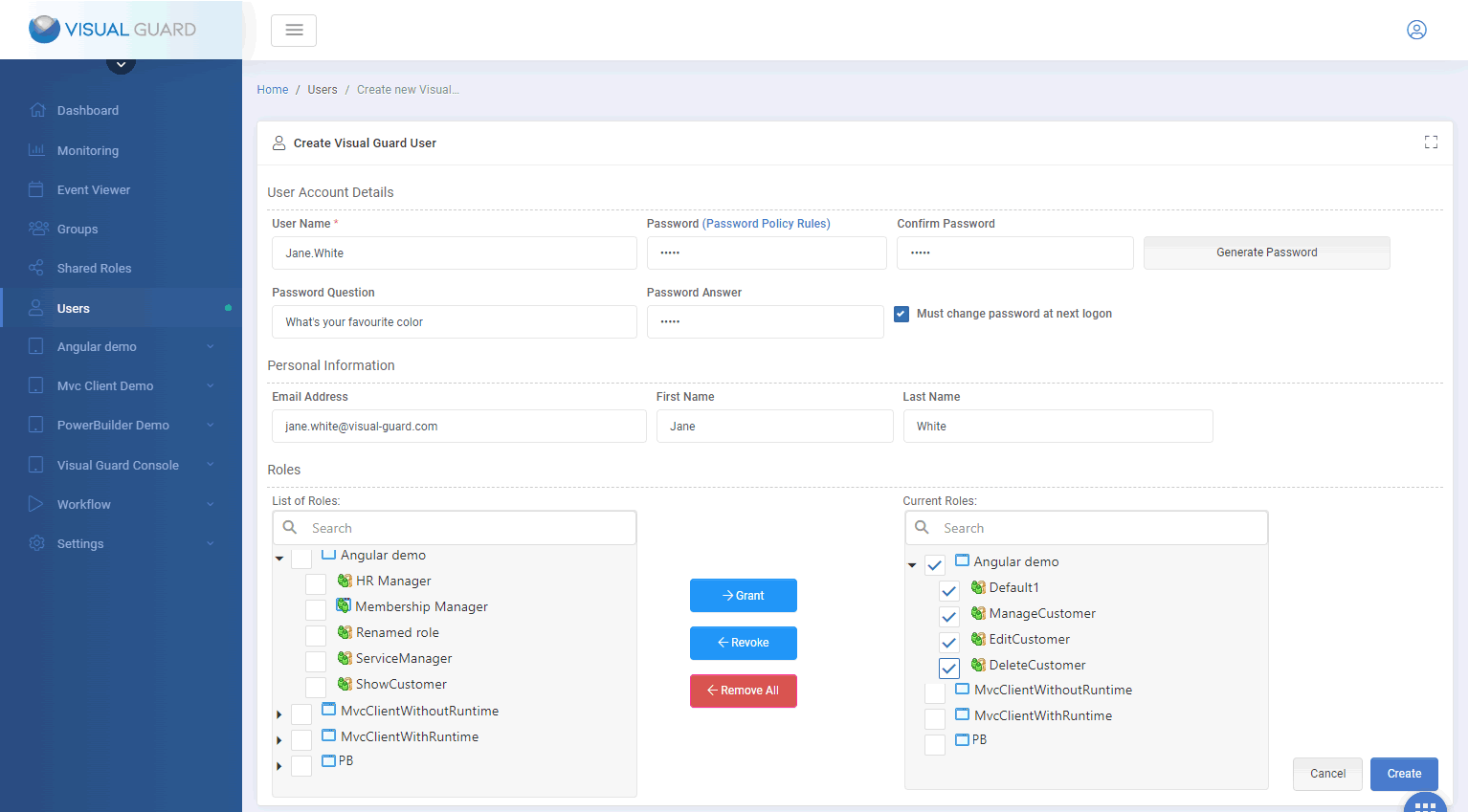
- Créer, lire, mettre à jour et supprimer des comptes Login/passwords
- Modifier les attributs des comptes utilisateurs
- Déclarer les comptes Active Directory
- Définir une politique de mot de passe
- Self-service utilisateur (réinitialisation du mot de passe, mot de passe perdu, enregistrement libre...)
Gérez les permissions
- Créer, lire, mettre à jour et supprimer des Permissions, des Permission Sets et des Rôles
- Ajout ou suppression de permissions dans les jeux de permissions
- Ajout ou suppression de permissions dans des Rôles
- Attribuer ou révoquer des rôles aux utilisateurs
- Attribuer ou révoquer des rôles aux comptes Active Directory
Appliquer la sécurité
- Authentifier les utilisateur (Authentification Windows, formulaire de connexion, SSO, Authentification forte /MFA…)
- Charger et appliquer les permissions utilisateurs
- Support de Winforms, WPF, Webforms, MVC, Web Services, WCF
- Intégration facile avec les autres outils
20 ans d'expertise en sécurité des Applications
Visual Guard a initialement été développé dans les années 90 pour un grand groupe bancaire Européen. Depuis, notre solution de sécurité des applications n'a cessé d'évoluer pour se conformer aux exigences de sécurité modernes. Visual Guard est maintenant utilisé par de moyennes et grandes sociétés, ainsi que de nombreux éditeurs de logiciels dans le monde entier.
Consulting - Assistance - Support
Novalys peut vous aider à mettre en place votre sécurité. Notre équipe propose les services suivants.
Spécifications fonctionnelles et techniques
Analyse des applications existantes, Interview utilisateurs sur les règles de gestions liées à la sécurité, Définition et attribution des permissions et rôles utilisateurs, Définition et répartition des privilèges d’administration, Proposition d’organisation globale ou locale de la sécurité applicative
Développement
Intégration de Visual Guard dans vos applications, Sécurisation d’objets complexes (Web services, classes...), Développement de composants spécifiques ou adaptation de composants Visual Guard pour répondre à des spécifications fonctionnelles ou techniques complexes.
Production
Installation et configuration de VG avec ADFS, Installation et configuration du Web SSO avec Visual Guard, Création de procédure de déploiement de la sécurité en production
Support
Bénéficiez d'une expérience cohérente et transparente de la mise en œuvre à la mise en production grâce à une équipe de support professionnelle et à l'écoute.

Avant-vente et après-vente peuvent être deux choses très différentes ... J'ai eu une expérience très uniforme grâce à Anne
Le support fournit par Novalys a été excellent et très réactif
Témoignages de nos clients

Solution complète et fiable d'IAM
Simple, robuste, et complet
Support Professionnel
Le support fournit par Novalys a été excellent et très rapide
Séparer les Développements Sécurité et la Gestion Quotidienne
Grâce à la console d'administration (et les différents rôles disponibles) il est très facile de donner la possibilité à des managers business de créer des rôles et des utilisateur pour répartir les tâches entre l'équipe de développement et les gestionnaires.
Hub de sécurité centralisé
Le principal avantage de VG est que nous avons pu centraliser la gestion des authentifications et des permissions pour toute la société.
Un vrai gain de temps
Un médecin doit principalement se concentrer sur la prescription de traitement, pas se souvenir de ses mots de passe [...] Je pense que j'économise au moins 50% de temps sur la gestion des tâches subalternes telles que la réinitialisation des mots de passe.